
WordPress security Ireland
WordPress security services in Ireland focused on risk reduction, recovery and responsible website ownership.
I review the website, hosting, users, software, backups and exposed functionality, then implement an agreed security baseline and document what still depends on the host, business and third-party providers. Suspected malware is treated as a separate incident-response scope because cleaning visible files without finding persistence, compromised access or the vulnerable entry point can leave the website exposed.

Irish businesses with a WordPress website that need practical security hardening, recovery readiness or help investigating a suspected compromise without claims of perfect protection.
Overview
WordPress security is an ongoing risk-management process, not a one-click setting.
A WordPress website depends on the hosting account, server software, WordPress core, a theme, plugins, administrator devices, DNS, email and third-party services. A weakness in any layer can affect the whole site. Good security therefore combines limiting unnecessary access, keeping trusted software current, using strong authentication, controlling permissions, maintaining recoverable backups and monitoring for meaningful changes. The correct controls depend on the website: a brochure site with one editor does not need the same plan as WooCommerce, membership, forms handling personal information or custom integrations. Security tools can help detect or block known patterns, but installing several overlapping plugins may create conflicts, false confidence and extra attack surface. The goal is to understand responsibility, reduce avoidable exposure, contain potential damage and prepare a realistic response. It is not to declare the website permanently secure.
The problem
Security gaps often sit between WordPress, hosting and business processes rather than inside one obvious setting.
Who this is for
Who WordPress Security Services Ireland is designed for
Businesses needing a security baseline
For owners who want access, software, backups and practical hardening reviewed before a visible incident forces urgent decisions.
Websites with suspicious behaviour
For sites showing unknown users, redirects, spam pages, browser warnings, modified files, unexpected email or repeated reinfection that require controlled investigation.
Higher-responsibility WordPress websites
For ecommerce, membership, lead-generation or custom platforms where downtime, account misuse and data-handling failures carry greater operational consequences.
What this includes
What WordPress security work can include
The exact scope depends on your website, goals and budget, but this gives you a clear starting point.
Security scope and asset review
Identify the website, hosting, DNS, administrators, connected services, important data, business-critical journeys and the parties responsible for each security and recovery decision.
WordPress software and plugin exposure
Review core, themes and plugins for update status, unsupported components, unnecessary installations, trusted sources and obvious overlap before changing the production environment.
Users, roles and authentication
Remove or reduce unnecessary access, establish named accounts, review administrator roles, strengthen password practice and introduce suitable two-factor authentication where supported.
Hosting, files and configuration hardening
Review HTTPS, file editing, sensitive configuration exposure, directory permissions and relevant host controls without applying copied server rules that could break the specific environment.
Firewall and login protection review
Assess existing host, CDN and WordPress-level protections, reduce unnecessary duplication and configure sensible controls for automated abuse, login attempts and known malicious requests.
Backup and restoration readiness
Check coverage, frequency, retention, storage separation and access, then define a practical restoration route. A backup is only useful when the required website state can be recovered.
Logging, monitoring and alerts
Select meaningful availability, file-change, user, vulnerability or security signals and define who receives an alert, what needs checking and when an event becomes an incident.
Malware and compromise investigation
For suspected incidents, capture the current condition, review available logs and indicators, identify malicious or unexpected changes and assess accounts, database content, files and persistence mechanisms within the agreed access.
Cleanup and credential reset plan
Remove confirmed malicious changes, replace trusted software, rotate relevant credentials and keys, close identified weaknesses and coordinate host or third-party actions required for recovery.
Production validation and search warnings
Check representative pages, forms, administration and integrations after recovery, then review applicable browser or search-console warnings without promising how quickly an external warning will be reassessed.
Security record and next responsibilities
Document completed changes, remaining uncertainty, access ownership, backup and monitoring arrangements, update responsibilities and any maintenance or specialist actions still required.
Benefits
What your business should gain from this service.
A documented WordPress security baseline
Fewer unnecessary accounts and components
Clearer backup and recovery ownership
Less overlap between security tools
A controlled route for suspected incidents
Honest visibility of remaining risks and dependencies
Process
A WordPress security process that separates preparation, hardening and incident recovery.
Confirm whether the request is preventive hardening or an active incident, then identify the website, host, users, connected services, symptoms and available access.
Preserve relevant evidence and a safe copy where appropriate, review the existing environment and avoid broad production changes before the likely risks are understood.
Define the priority controls or recovery actions, dependencies, exclusions, business decisions and validation checks, with urgent containment separated from long-term improvement.
Implement agreed access, software, configuration, backup, monitoring or cleanup changes through a controlled route and coordinate necessary host or provider actions.
Test the public website, administration, forms and critical functions; rescan or recheck relevant indicators while recognising that one clean scan cannot prove permanent security.
Deliver the security record, credential and access actions, known limitations, monitoring route and a separate ongoing maintenance scope where regular care is required.
Pricing guidance
WordPress security pricing based on website condition, urgency and evidence available
Preventive hardening on a maintained brochure website is different from cleaning a compromised ecommerce site with unknown administrator access and no reliable backup. Pricing depends on hosting access, website size, custom code, symptoms, logs, recovery options, urgency and third-party coordination. Incident work is quoted after initial triage because the visible symptom rarely proves the full scope. Hosting, firewall, monitoring and security-product subscriptions remain separate unless explicitly included.
WordPress Security Review
For a maintained website that needs its software, access, backups and practical security baseline reviewed.
- Risk and access review
- Priority hardening actions
- Security and recovery record
Security Hardening Implementation
For implementing an agreed set of account, software, hosting, backup, monitoring and WordPress controls.
- Defined hardening scope
- Controlled implementation
- Functional validation
Malware Removal and Recovery
For suspicious or compromised websites requiring triage, cleanup, credential changes and recovery validation.
- Incident-specific investigation
- Cleanup and containment
- Recovery actions and limitations
Official WordPress security guidance
Treat website security as risk reduction, containment and preparation.
The official WordPress hardening guidance covers trusted software, updates, access, permissions, backups, logging and monitoring, while making clear that security reduces risk rather than eliminating it.
Read the WordPress hardening guideReview the hacked-site guidance
Related work
WordPress platforms where controlled access and ongoing technical ownership matter
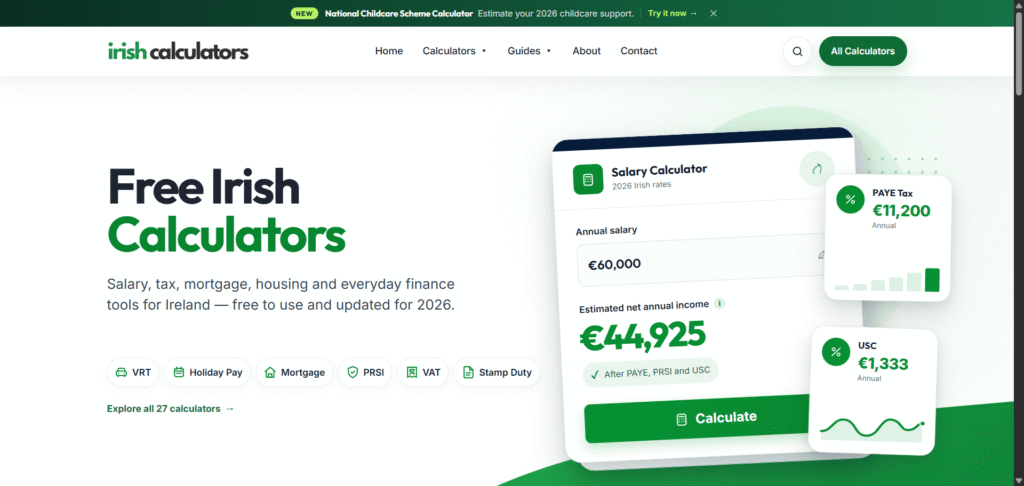
Irish information resource
Irish Calculators
A substantial public resource where clear information, regular review and dependable visitor journeys remain important. View case studyRelated services
Other services that may support this project.
FAQ
Common questions about wordpress security.
Can you guarantee that my WordPress website will never be hacked?
No. WordPress security is risk reduction, not risk elimination. Appropriate updates, access controls, backups, monitoring, hosting and response planning can reduce avoidable exposure and impact, but no connected system can be promised permanent protection.
What is included in a WordPress security review?
The agreed review can cover WordPress core, themes, plugins, users, administrator access, authentication, hosting controls, HTTPS, file editing, permissions, backups, firewall layers, monitoring and recovery responsibilities. It identifies priorities; implementation is scoped separately where required.
Is installing a WordPress security plugin enough?
No single plugin covers the hosting account, administrator devices, DNS, email, passwords, backups, business processes and every vulnerability. A suitable security tool may be one useful layer, but it needs clear configuration, ownership and a response process.
Do you provide WordPress malware removal in Ireland?
Yes, subject to triage and access. Malware removal can include investigating suspicious files, users, database content and available logs, cleaning confirmed changes, replacing trusted software and rotating relevant credentials. Limited evidence may prevent certainty about the original entry point or complete timeline.
Why does a hacked WordPress website become infected again?
Reinfection can occur when a vulnerable component, hidden administrator, scheduled task, modified database record, stolen credential, compromised hosting account or another infected site remains active. Removing only the visible malicious file or page may not close the persistence route.
Are backups part of WordPress security?
Yes. Backups support recovery and investigation, but they should cover the necessary database and files, retain enough history, be protected from the same incident and have a practical restoration method. A backup stored only in a compromised account may not be sufficient.
Is WordPress maintenance the same as WordPress security?
No. Maintenance covers routine updates, backups, checks and agreed ongoing care. A security review establishes or improves controls, while malware investigation and recovery respond to a suspected incident. Maintenance can reduce risk but does not automatically include emergency recovery.
Will malware removal remove browser or Google security warnings immediately?
Not necessarily. The website must first be cleaned and secured, then any applicable review process can be requested. Browsers, hosting providers and search services control their own reassessment timing, and no provider should guarantee when an external warning will disappear.
How much do WordPress security services cost in Ireland?
A preventive WordPress Security Review starts from €250. Hardening implementation and malware recovery are quote-based because website condition, access, custom code, symptoms, logs, backups, urgency and third-party work can change the scope substantially.
Next step
Need this service for your business?
Send me your website link or project idea and I will suggest the most practical next step.